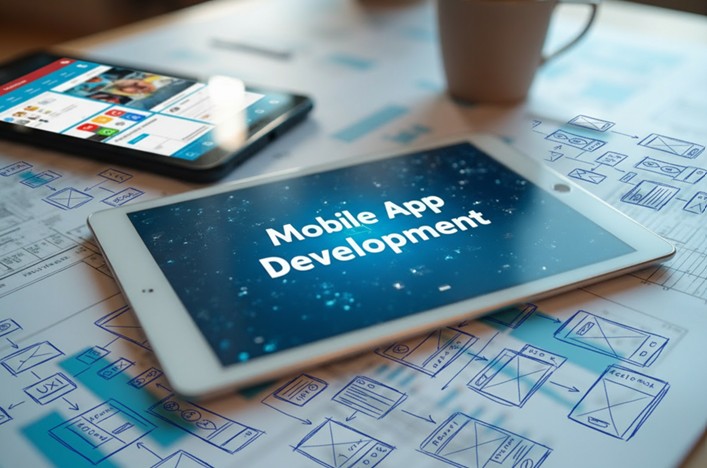
Building a mobile app isn’t as simple as sketching an idea and watching it appear in the App Store a week later. There’s a structured process behind every polished app you create for users, and understanding this lifecycle helps you plan better, avoid expensive mistakes, and know when to bring in outside help.
The most challenging part in the process is execution – turning that idea into something users actually want. That’s where custom mobile app development services come in, guiding you through each stage with technical expertise and real-world experience.
Here’s what you need to know about each step in the mobile app development process:
Stage 1: Discovery and Validation
You start with an app idea. But ideas alone don’t become successful apps. CB Insights tied 35% of market failures to a lack of market need, so you need to validate whether anyone actually wants what you’re planning to build.
Here’s what typically kills projects at this stage
Founders who skip validation and jump straight to development often end up with an app that fails to resonate with its target audience.
Case in point: Quibi was a 2020 video streaming app that locked premium short-form content under a paywall. Despite its $1.75 billion funding, Quibi failed to reach 2021, as its competitors provided the same content for free. Its mistimed launch during the pandemic also saw more users stream longer-form content, such as shows and films.
Learning from Quibi, you need to ask these questions about your app before proceeding with development:
- What specific problem does this solve? Tie your mobile app to a specific problem in your target market.
- Who exactly will use this app? Identify the kind of people who will be using your app.
- What are competitors doing? Identify what similar apps are already doing to know which features work and which don’t.
- Where are the gaps? Specifically tied to competitor apps, identify areas of their apps that don’t work well and see if you can step in.
Stage 2: Planning and Technical Strategy

Most founders want to build everything at once, and that’s how projects spiral out of control.
Once you’ve validated demand, map out how the app will work. Define features, prioritize them, and make crucial technical decisions. This step needs you to create a future roadmap for your Version 1.0 that contains the following:
- Determine your technical stack: Consult with your development team about the tech stack they will use, as this factor heavily influences costing and development time. We’ll expand this below.
- Cut existing features to ones that matter: You likely have a list of features you want your app to have, but not all of them are practical choices. This is where your co-founder or development team must help cut this list to features that truly count.
- Choose features that are relevant to Version 1.0: Not all your features may make it to your first release, but the combination of some of them can create a viable product. Determine which features you want in Version 1.0, and those for future releases.
The technical choices that actually matter
The complexity of your development process is heavily tied to the framework your mobile app development team chooses to use. There are three main choices for mobile apps:
- Native development: This pertains to app development specifically made for Android or iOS. You have to make two apps per OS, but each version takes full advantage of the hardware supported by the platforms. While they take more time to build and cost more, native apps are often fast and responsive.
- Cross-platform development: This approach utilizes a single codebase to create one app that works on multiple platforms. While it can’t “copy” native-like performance, cross-platform is a faster and more cost-efficient way to make your app.
- Hybrid development: This results in a web application with a native “shell” that makes it compatible with mobile devices. Thanks to APIs and plugins, hybrid apps perform nearly as well as native apps but with an easier-to-use web interface. While quick to launch, its reliance on a web component makes it vulnerable to online threats.
This is the stage to decide if you need custom mobile app development services. If your app requires unique functionality or industry-specific compliance, generic solutions won’t suffice.
Stage 3: Design and Prototyping
Design determines whether users find your app intuitive or frustrating. UXCam highlights the opposing effects of UX design: get this wrong the first time, and 88% of users might uninstall your app. However, get this right, and your UX design may generate returns as high as 9,900%.
All of this is determined in the design stage, where you produce wireframes, mockups, and interactive prototypes you can test before writing code. These three also matter in the development process in different ways:
- Wireframes: This shows the basic layout and structure of your mobile app. This helps developers and designers determine how each screen looks and what each button does.
- Mockup: This is a static visual representation of what the app will look like. It includes UI elements, colors, and even typography.
- Prototype: This is an interactive simulation of how the mobile app works before development. It includes clickable flows to mimic real user actions.
Test your prototype with real users. If they get confused, fix it now. Changing a design costs hours, but rewriting code costs weeks.
Stage 4: Development and Testing
Clutch stated that mobile app development typically lasts between 20 and 40 weeks, with development and testing running side-by-side. Developers often split work into two tracks: the frontend, which is what users see (screens, buttons, animations), and the backend, or what powers everything (databases, server logic, authentication). Testers then have to validate each piece as it’s completed.
What matters during development and testing:
While your app features are developed separately, there are other important considerations throughout the development and testing stage:
- Graceful failure: The app shouldn’t crash or lose data in situations such as failed requests and slow internet.
- Built-in security: Prevent breaches with strong authentication and security best practices.
- Multi-device performance: Your app should work on new and old devices, as well as different OS versions, to maximize your reach.
Accenture data also shows that tech debt in the United States alone costs teams $2.41 trillion in development and will cost another $1.52 trillion to fix. If you lack in-house development talent, working with a mobile app development company from the start makes sense. They know where projects typically run into trouble.
Stage 5: Deployment and Post-Launch Maintenance
Getting your app to users is just the beginning. Deployment requires meeting Apple App Store and Google Play Store requirements, while post-launch maintenance ensures the app works as traffic increases, new devices are released, and new OS versions enter the picture.
What you need during deployment and after launch:
- Set a proper release schedule: Apps need specific requirements, such as certificates and provisioning files, before being accepted in app stores. Submit your app a week before launch to accommodate any necessary revisions.
- Implement Apple Store Optimization: Use best practices such as up-to-date photos, in-depth descriptions, proper categorization, and keyword utilization to get your app on a user’s radar.
- Monitor key metrics: Take note of crash rate, load times, battery usage, and user drop-off points. These can aid ongoing maintenance and should be improved to enhance the user experience.
- Stay on top of updates: Your development team should be able to adjust your app to stay compatible with updates to your OS, as well as third-party integrations you may be using.
Proper deployment and post-launch support give your app a chance at long-term success, especially since Business of Apps data indicated a 96.3% and 97.9% churn rate for iOS and Android apps, respectively, after 30 days.
When to Bring in Professional Help
Not every stage requires external expertise, but some do. If you lack in-house development talent, working with a mobile application development services provider from the start makes sense.
Even if you have an internal team, specialized help can fill gaps – whether that’s security audits, performance optimization, backend scalability, or compliance requirements. The key is recognizing where your team’s strengths end and where external expertise adds value.
Build Something Users Actually Want
Understanding the mobile app development lifecycle gives you control. You know what to expect, which decisions carry real consequences, and where to invest resources.
Following this structured process increases your chances of launching something users love. If you’re ready to move from concept to launch, consider partnering with an experienced mobile application development company.