
Every 60 seconds, roughly 5 million Google searches happen. Five million. In a single minute. And every one of those queries touches a router somewhere before it reaches you.
That’s not a fun fact. That’s the reality of what modern network infrastructure carries every single day, quietly, invisibly, without applause.
Yet most businesses treat routers and switches like they treat the building’s HVAC system. Nobody thinks about it until it breaks. And by then, the damage is already done.
1. The Confusion That Costs Companies Money
Ask ten non-technical executives what the difference is between a router and a switch, and you’ll get ten variations of the same vague answer. And honestly? That’s fine. They shouldn’t need to know.
But the IT people making purchasing decisions absolutely should, because conflating these two devices leads to network designs that fail under pressure.
Routers connect different networks. They decide where data goes when it needs to travel between your internal environment and the outside world, or between separate segments of a large organization.
Switches live in a network, connecting devices and managing local traffic with speed and efficiency.
The router is the air traffic controller. The switch is the tarmac. You need both designed correctly, or nothing takes off smoothly.
2. When Routers Become the Ceiling!
Here’s a thing I keep seeing in mid-market IT planning: companies buy routers based on what they need today. Not what they’ll need in two years. Not what happens when they add a new office, spin up a cloud workload, or triple their video conferencing traffic after a hiring sprint.
And routers don’t fail loudly. They fail slowly. Latency goes up a few milliseconds here. Packet drops start happening intermittently there. Nobody can pin it down until someone finally pulls the throughput stats and realizes the router has been running at 94% capacity for three months.
This is why getting into the weeds on hardware specs before committing to an architecture actually matters. Looking at Juniper MX304 specifications is a good example of what informed planning looks like in practice.
The MX304 PREM packs up to 4.8 Tbps of forwarding capacity into a 2U chassis, supports up to 48 x 100GbE or 12 x 400GbE ports, and runs Junos OS Evolved, which includes zero-touch provisioning and automation baked right in.
For a network architect trying to plan five years out without rebuilding the entire infrastructure every 18 months, those numbers aren’t just specs on a sheet. They’re the difference between building room to grow and building a bottleneck with a warranty.
That said, specs only tell part of the story. How hardware integrates with your existing environment, your automation toolchain, your operations team’s actual skill set: that context shapes whether a router performs as advertised or becomes an expensive headache.
3. The Switch Problem Nobody Wants to Admit
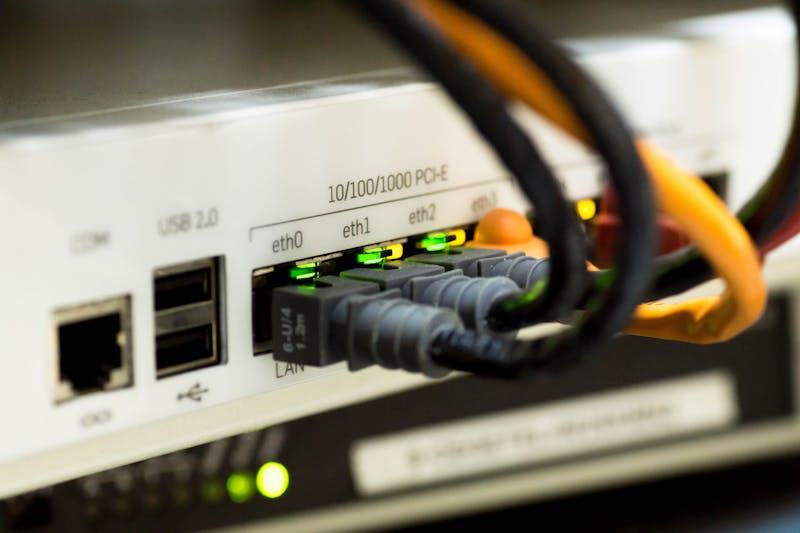
Let me say something unpopular. Most network performance problems that people blame on routing are actually switching problems. I’ve seen it enough times to stop being surprised by it.
Poor switch design creates congestion inside the network, well before traffic ever reaches the router.
If your access layer switches are misconfigured, undersized for their uplink requirements, or handling VLANs in a way that creates unnecessary broadcast traffic, the router will take the blame for problems it didn’t cause.
The segmentation piece especially gets ignored. People add devices, add VLANs, expand subnets, and never revisit whether the switch architecture underneath it all still makes sense.
It usually doesn’t. Networks accumulate complexity the way houses accumulate junk. Nobody notices until you open a closet and something falls on you.
4. Choosing Switches That Don’t Create Their Own Problems
Port count is what most people look at when evaluating switches. It’s also the least interesting metric. What actually matters is throughput under real load, PoE budget if you’re powering endpoints, uplink flexibility, and buffer capacity during traffic spikes.
Take a company expanding from a single-floor office to a multi-site campus setup. They need access layer switches that can handle a dense mix of wired endpoints, wireless APs, and IP phones without QoS degradation during peak hours.
Reviewing something like the Ex4400 48F specs gives you a concrete reference point for what a serious access switch looks like at that tier. Fiber uplinks, high throughput capacity, and the kind of feature set that doesn’t leave you bolting on workarounds six months later.
The tricky part is matching the switch to the specific workload. A data center access layer has completely different needs from a campus deployment. Same product category, completely different evaluation criteria.
5. Redundancy Stopped Being Optional Years Ago
Five years ago, redundant network design was a nice-to-have for mid-sized businesses. Remote work changed that permanently.
When your entire workforce connects from home, a network outage doesn’t slow people down. It stops them completely. Leadership understands this now in a way they never did when everyone was in the same building.
Redundancy at the router level means dual power supplies and failover routing protocols. At the switch level, it means link aggregation or stacking, so a single device failure doesn’t take down a floor or a building.
At the link level, it means having a backup path that activates automatically without anyone needing to intervene at 2 am. None of this is exotic engineering. It’s just planning.
Winding Up
Hardware matters. But hardware decisions made without a coherent architecture behind them produce expensive, underperforming networks regardless of how capable the individual components are.
Routers and switches are tools. Understanding their roles, sizing them correctly for actual growth trajectories, designing redundancy in before you desperately need it: that’s the real work.
And it’s the part that determines whether your network scales with your business or fights against it.
About the Author