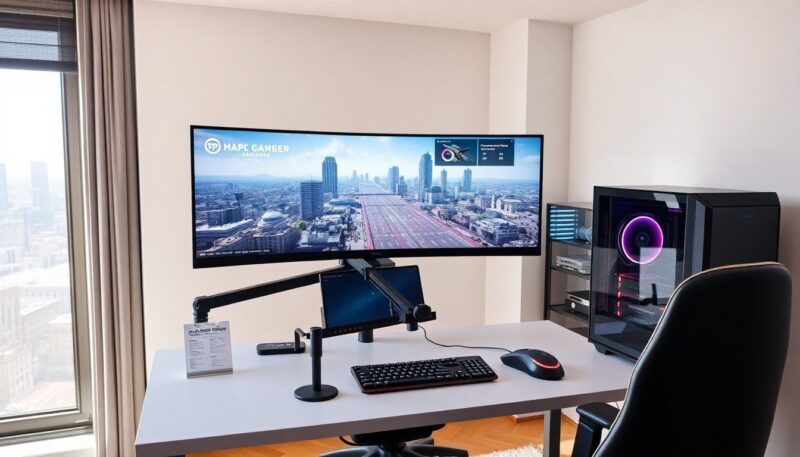
Gaming laptop vs PC appears in many search queries. The reader wants a clear comparison. This article lists key differences. It shows how each choice affects play, cost, and daily use. The reader will use simple questions to decide. The text stays direct and practical.
Key Takeaways
- Gaming laptops offer portability and all-in-one convenience, making them ideal for players who move frequently or have limited space.
- Gaming PCs deliver higher performance, better cooling, and longer sustain during intense gaming, especially at higher resolutions like 1440p or 4K.
- Desktops provide superior upgrade options and better value per dollar spent compared to gaming laptops.
- Choosing between a gaming laptop vs PC depends heavily on your gaming needs, budget, and whether you prioritize mobility or maximum performance.
- Laptops usually throttle under heavy use to manage heat and power, while desktops can maintain peak performance with larger cooling systems.
- Consider your typical play environment and upgrade plans to select the device that best fits your lifestyle and gaming goals.
Performance, Thermals, And Gaming Experience
How CPU, GPU, And Cooling Differ Between Laptops And Desktops
A desktop uses larger chips and larger coolers. A laptop uses smaller chips and compact coolers. Desktops deliver higher peak clock speeds. Laptops limit clocks to save power and heat. A desktop can hold a full-size GPU. A laptop often uses mobile GPU variants or power-limited versions. Gamers who demand maximum frame rates and high resolution usually pick a PC. Gamers who accept lower peak clocks for convenience often pick a gaming laptop.
Manufacturers tune laptop thermals to avoid loud fans and hot surfaces. Desktops use bigger heatsinks and multiple fans. Desktops sustain high performance longer in long sessions. Laptops may throttle after heavy use. Players who stream or run CPU-heavy tasks will see larger gaps on a desktop. For raw power per dollar, a desktop wins. For compact systems and built-in screens, a gaming laptop wins.
Real-World Gaming Benchmarks And Resolution/Frame-Rate Tradeoffs
Benchmarks show gaps vary by title and settings. At 1080p with high settings, many mobile GPUs match mid-range desktops. At 1440p or 4K, desktops typically pull ahead. Gamers who chase 144Hz or 240Hz at 1080p may still use a desktop for stable high frames. Gamers who play at 1080p and accept medium to high settings can use a laptop and enjoy good frame rates. Many reviewers publish FPS graphs for modern titles. Players should check those graphs for the specific games they play.
Players who value consistent frame time and future upgrade paths choose a desktop. Those who value an all-in-one package and less setup choose a laptop. Both platforms now support ray tracing and DLSS/FSR. The level of support depends on the GPU model and power budget.
Portability, Space, And Where You’ll Actually Play
A gaming laptop vs PC debate often hinges on where the player lives and plays. A laptop lets a player move between rooms, trips, and LAN parties. A desktop stays in one room and needs a desk and monitor. People who live in small apartments or share spaces benefit from a laptop. People who have a dedicated room or larger desk prefer a desktop.
A laptop includes screen, keyboard, and battery. A desktop requires separate parts: monitor, keyboard, mouse, and often more. A laptop reduces cable clutter. A desktop allows multiple monitors and larger desks. Esports players who need low latency and precise control often use full-size peripherals with a PC. Casual players who want single-unit convenience often use a laptop.
Heat and noise matter for where a person plays. A laptop can get warm on a lap during long sessions. A desktop can place hot components away from the player. Portability also affects accessory choice. Gamers who travel often buy a gaming laptop. Gamers who rarely move gear buy a desktop.
Cost, Value, And Long-Term Ownership Expenses
A gaming laptop vs PC choice changes the cost model. Initial cost for equal performance usually favors a desktop. Desktops offer more performance per dollar. Laptops cost more for similar GPU and CPU power. Laptops bundle screen and battery into the price.
Upgradability also shifts value. A desktop allows easy GPU, CPU, memory, and storage upgrades. A laptop usually allows storage and memory upgrades only, and sometimes not at all. Desktops let the owner replace parts over time. Laptops often force a full unit replacement when the GPU or CPU lags modern titles.
Long-term costs include electricity and repair. Desktops use more power under full load but cool more efficiently and may last longer across component upgrades. Laptops use less power but can wear batteries and have hard-to-replace parts. Warranty and repair options differ: some laptops ship with extended service while desktops rely on part warranties. For buyers focused on lower lifetime cost and upgrade options, a PC usually offers better value. For buyers who value convenience and lower setup cost, a gaming laptop may make sense even though higher long-term cost.
How To Choose: Questions To Ask Before You Buy
Where will the player use the machine most? If the player moves often, choose a gaming laptop. If the player stays put, choose a desktop.
What games will the player run and at what settings? If the player needs high frame rates at 1440p or 4K, choose a desktop. If the player plays at 1080p or uses adaptive scaling, a laptop can work.
Does the player plan to upgrade parts over time? If yes, choose a desktop. If no, a laptop can suffice.
What is the budget and tolerance for repair costs? For lower cost per performance and upgrade options, choose a PC. For bundled convenience and mobility, choose a gaming laptop.
How important is noise and heat control? For quieter long sessions and better cooling, choose a desktop. For compactness and built-in display, choose a laptop.
After answering these questions, the player can match needs to the right form factor. The phrase gaming laptop vs PC frames the decision, but the right choice depends on the player’s answers. They should read model-specific reviews and FPS tests for the games they play before they buy.
About the Author