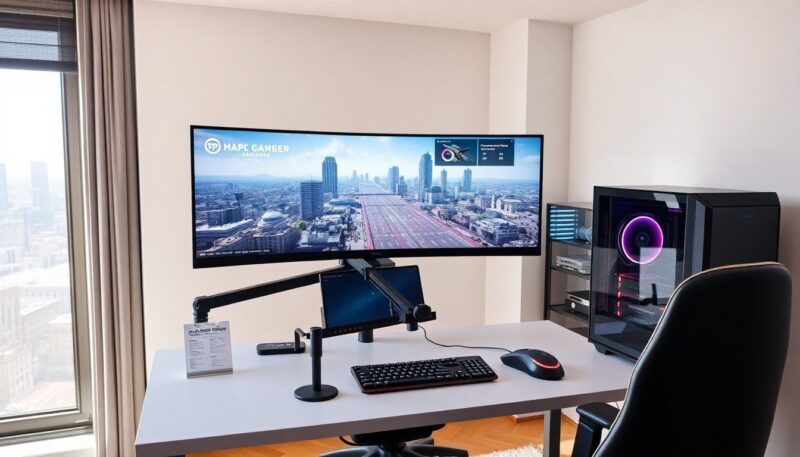
They want the cheapest gaming computer that still runs games at playable settings. This guide shows what to expect, where to save, and which parts matter most. It gives clear steps to buy or build a low-cost gaming PC in 2026. The advice stays practical and direct. The reader can compare building versus buying, check parts, and find deals that fit a small budget.
Key Takeaways
- The cheapest gaming computer typically delivers playable performance at 720p to 1080p with medium settings, focusing on esports and older titles.
- When choosing the cheapest gaming computer, buying prebuilt saves time and warranty hassle, while building can offer better parts for strict budgets if done carefully.
- Prioritize the GPU first for gaming performance, followed by a balanced CPU, 8–16 GB of RAM, SSD storage, and a reliable PSU to avoid damaging components.
- Practical builds range from $300 with integrated graphics up to $800 with newer GPUs, targeting progressively higher frame rates and settings.
- Find the best deals on refurbished, used, and clearance parts by verifying seller reputations, watching for bundles, and setting price alerts.
- Cut costs without sacrificing playability by using free OS options, basic but efficient cases, used peripherals, and upgrading RAM and GPU over time.
What To Expect From The Cheapest Gaming Computers
The cheapest gaming computer will run older and less demanding modern titles at low to medium settings. Buyers should expect 720p to 1080p performance with frame rates from 30 to 60 FPS in many games. They should not expect ultra settings or high ray tracing. The cheapest systems often use integrated graphics or low-end discrete GPUs. They will use 8–16 GB of RAM and small SSDs or HDDs. They will have basic cooling and small power supplies. The user can still enjoy esports titles and indie games if they set expectations and adjust settings.
Buy Versus Build: Which Saves More Money For Entry-Level Gaming
They compare cost, time, and risk when they choose to buy or build. Buying a prebuilt cheapest gaming computer saves time and often includes warranty coverage. Building can save money if the buyer shops used parts and reuses a case or PSU. A total novice may pay more in tools and mistakes. A hands-on buyer can score a better GPU or CPU by building. For strict budgets, a used prebuilt can be the best value. The buyer should list prices, include taxes, and compare final tested performance before deciding.
Parts To Prioritize On A Tight Budget (CPU, GPU, RAM, Storage, PSU)
They prioritize GPU first when the goal is gaming. Next they pick a balanced CPU to avoid bottlenecks. They aim for 8–16 GB of RAM, with one stick for future upgrades. They choose an SSD for boot and game load times and add a cheap HDD if they need space. They select a reliable PSU with enough wattage and 80+ certification if possible. They pick a basic case with airflow. They avoid cutting cost on PSU or cooling. A weak PSU can damage parts and void savings.
Three Practical Budget Builds Under $300 / $500 / $800 (Parts List And Target Performance)
$300 build: They use a low-cost used CPU with integrated graphics or a very low-end discrete GPU, 8 GB RAM, 240 GB SSD, 450W PSU, and a basic case. Target: 720p, 30–45 FPS in older and esports titles.
$500 build: They include a modest used discrete GPU (e.g., older GTX/AMD midrange), entry-level CPU, 8–16 GB RAM, 500 GB SSD, and a 500W PSU. Target: 1080p, 40–60 FPS in many titles at medium settings.
$800 build: They choose a newer value GPU, quad-core CPU, 16 GB RAM, 1 TB SSD/HDD combo, and a quality 550–650W PSU. Target: 1080p, 60+ FPS in many games at medium-high settings.
Where To Find The Best Deals: Refurbished, Used, Clearance, And Bundle Strategies
They look on manufacturer refurbished stores, certified sellers, and local marketplaces for used parts. They watch clearance sections from major retailers for seasonal discounts. They buy bundles that include CPU coolers, RAM, or storage to save money. They verify seller ratings and warranty terms for refurbished items. They test used GPUs and CPUs before finalizing the purchase when possible. They set alerts for price drops and use browser extensions to track historical prices. They avoid deals that seem too cheap for key parts like GPU or PSU.
Smart Ways To Cut Costs Without Sacrificing Playability (OS Options, Case, Peripherals, Upgrades)
They use free or low-cost OS options like Windows 10/11 free mode or Linux distributions to save licensing cost. They use a plain case with good airflow rather than a fancy one. They buy used monitors, keyboards, and mice that still work well. They start with 8 GB RAM and upgrade to 16 GB later. They prioritize upgrading the GPU first for better gaming gains. They check for combo deals that include motherboard and CPU. They reuse old parts when they remain functional and safe.
Step-By-Step Buying Checklist And Quick Compatibility Tips Before You Click Buy
They confirm CPU socket and motherboard chipset compatibility. They check RAM type and speed support for the motherboard. They match PSU wattage and connectors to the chosen GPU. They verify physical GPU length fits the case. They confirm RAM capacity and drive connectors fit the case and board. They test used parts where possible and ask for return windows. They read reviews for specific parts for power draw and heat. They add spare budget for mounting hardware and thermal paste when they build.
About the Author