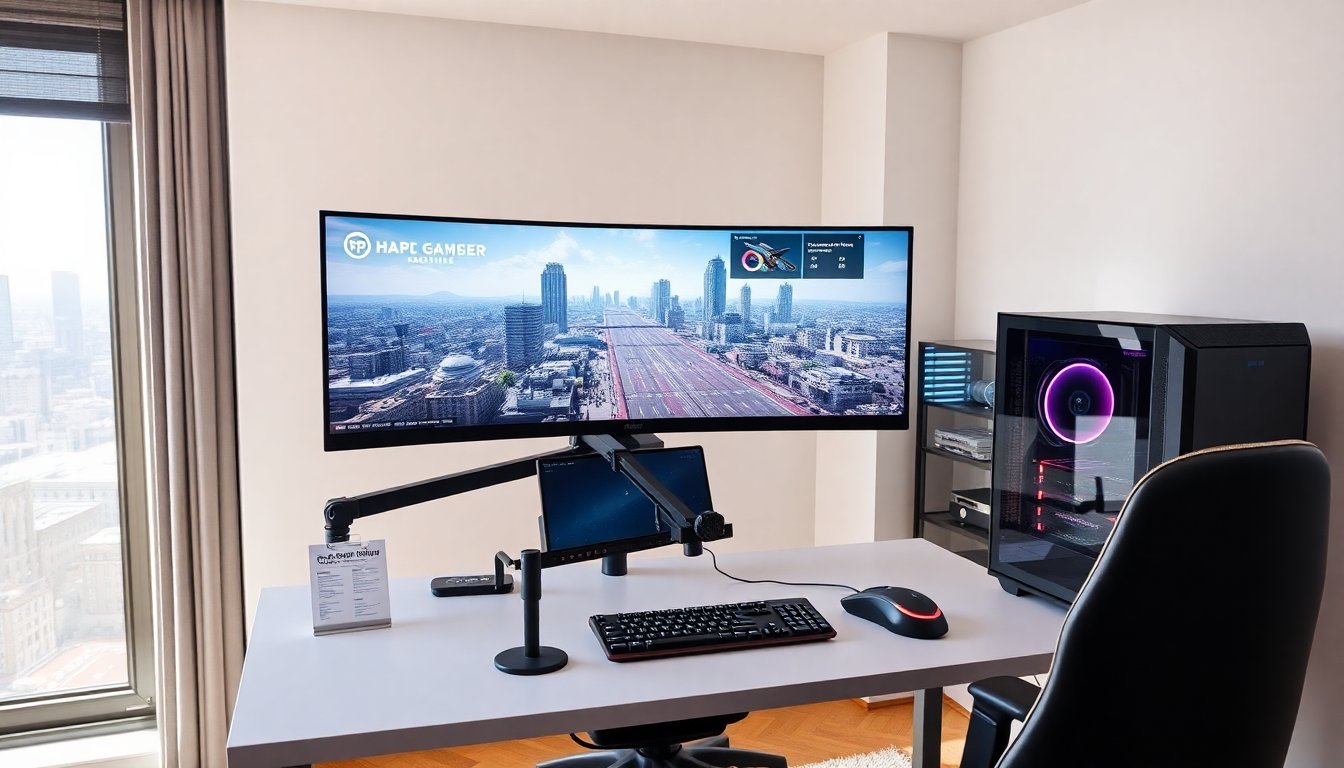
A 34 inch gaming monitor delivers a wider field of view and clear image detail for many players. Gamers choose a 34 inch gaming monitor to see more of the game without using multiple screens. This guide outlines the key performance factors and practical buying steps. It helps readers match a 34 inch gaming monitor to their hardware, room, and budget.
Key Takeaways
- A 34 inch gaming monitor offers a wider 21:9 aspect ratio that enhances immersion and situational awareness without the drawbacks of multi-monitor setups.
- Choose a 34 inch gaming monitor with a 3440×1440 resolution and at least 120Hz refresh rate for the best balance of sharp visuals and smooth gameplay, especially if you have a high-end GPU.
- Curved panels with 1000R or 1500R curvature improve viewing comfort by reducing eye strain and peripheral distortion during long gaming sessions.
- Prioritize IPS panels for accurate color and wide viewing angles if you also use the monitor for content creation, while VA panels provide better contrast and deeper blacks for gaming.
- Ensure your 34 inch gaming monitor supports adaptive sync technologies like G-SYNC or FreeSync Premium to eliminate screen tearing and stutter.
- Match your budget to desired features like resolution, refresh rate, and HDR capability, and always check real-world reviews for input lag and display performance.
Why A 34‑Inch Ultrawide Works For Gamers
A 34 inch gaming monitor gives a wider horizontal view than a standard 16:9 screen. This wider view lets players see more of the map, the dashboard, or the cockpit. Competitive players gain situational awareness. Single-player gamers gain immersion and cinematic framing.
A 34 inch gaming monitor usually comes with a 21:9 aspect ratio. The 21:9 ratio expands the horizontal workspace while keeping vertical space close to a 27 inch 16:9 monitor. Players get broader landscapes and fewer distractions from bezel gaps. They also avoid bezel alignment issues that appear with dual-monitor setups.
A 34 inch gaming monitor often uses a curved panel. Curved screens reduce perceived distortion at the edges. They keep the nearest points of the screen at a similar distance from the eyes. This reduces eye movement and can lower fatigue during long sessions.
A single 34 inch gaming monitor can also improve multi-tasking. Streamers can place chat or OBS controls at one edge without removing game content from the center. Designers and video editors can use the extra width for timelines. Gamers who also work on the same PC will see a practical productivity gain.
A 34 inch gaming monitor is compact enough for a typical desk while still offering an expansive view. It fits most monitor arms and standard desk depths. For players with limited space, a 34 inch gaming monitor often represents the best balance between immersion and footprint.
Key Specs To Prioritize: Resolution, Curvature, Refresh Rate, And Panel Type
Resolution affects image clarity on a 34 inch gaming monitor. The common native resolution is 3440×1440 (often called WQHD). This resolution gives sharper textures than 2560×1080 and demands less GPU power than 4K. If a player runs a high-end GPU, a 3440×1440 34 inch gaming monitor will show rich detail at comfortable frame rates.
Curvature matters for immersion and viewing comfort. Many 34 inch gaming monitor models use a 1000R or 1500R curve. A 1000R curve matches the natural field of view for many users and increases the sense of wrap. A 1500R curve remains subtle and reduces edge stretching. Flat panels remain an option for players who prefer exact geometry for photo editing or split-screen work.
Refresh rate controls motion clarity on a 34 inch gaming monitor. Common options include 60Hz, 100Hz, 120Hz, 144Hz, and higher. Competitive players should target at least 120Hz to gain smoother input response. Content creators and story-driven players can accept 60–100Hz if they prefer better color or higher resolution within their budget.
Panel type defines contrast, color, and viewing angles for a 34 inch gaming monitor. VA panels offer stronger contrast and deeper blacks. IPS panels provide wider viewing angles and more accurate color. Fast VA variants can compete on response times, but IPS remains the typical choice for color-critical users. OLED 34 inch gaming monitor options exist, offering true black and near-instant response, but they cost more and can risk image retention on static HUDs.
Adaptive sync technology is crucial on a 34 inch gaming monitor. Look for G-SYNC compatible or FreeSync Premium support. Adaptive sync removes screen tearing and reduces stutter without sacrificing refresh rate. Also check HDR capability. Basic HDR improves highlights, but full HDR performance demands higher peak brightness and local dimming. Verify HDR specifications rather than rely on marketing labels.
How To Choose The Right 34‑Inch Monitor For Your Setup And Budget
First, match the 34 inch gaming monitor to the GPU. If the GPU struggles at 3440×1440, lower the resolution or choose a 34 inch gaming monitor with a 2560×1080 panel. If the GPU can sustain high frame rates, choose a 3440×1440 panel with 120Hz or higher to use the GPU headroom.
Second, measure the desk and seating distance. A 34 inch gaming monitor fits a typical desk, but seating distance affects perceived sharpness. Sit roughly 2.5 to 3.5 feet from a 34 inch gaming monitor for the best balance of clarity and immersion. If the room forces a closer seat, consider a higher pixel density or a smaller screen.
Third, set priorities for refresh rate versus color accuracy. If the priority is competitive esports, the buyer should favor a high refresh rate 34 inch gaming monitor and fast response time. If the priority is content creation, the buyer should favor an IPS panel with better color coverage and factory calibration.
Fourth, check ports and ergonomics. A 34 inch gaming monitor should include DisplayPort 1.4 for high bandwidth and HDMI 2.1 if the buyer plans to use latest consoles. Verify at least one USB upstream port for hub functions. Confirm tilt, height, and swivel adjustments or VESA mount compatibility for monitor arms.
Fifth, set a realistic budget. Mid-range 34 inch gaming monitor models often offer 3440×1440, 120Hz, and IPS panels at reasonable prices. High-end models add OLED, higher brightness for HDR, and G-SYNC Ultimate. Entry-level 34 inch gaming monitor options will cut resolution or refresh rate to reduce cost.
Finally, test reviews and real-world benchmarks. Look for input lag measurements, frame pacing data, and real HDR performance tests. Pay attention to return policies and warranty terms. A practical trial will reveal whether a 34 inch gaming monitor meets the gamer’s needs in daily use.
About the Author