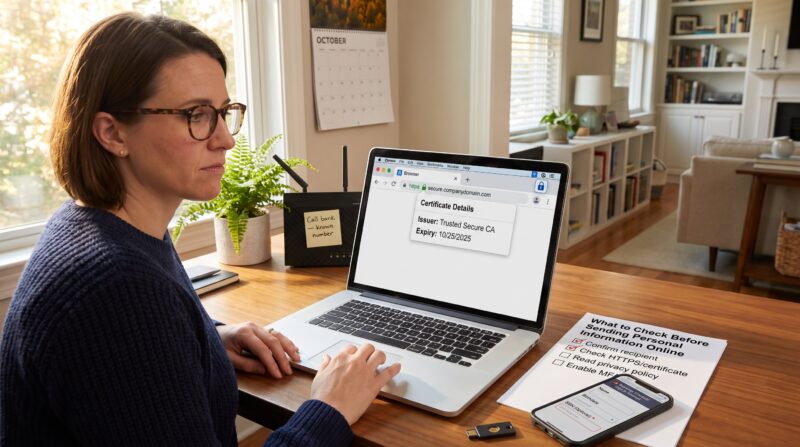
How to Write a Clear Support Request That Gets a Useful Response matters because clear tickets cut resolution time. When users send full, structured reports, support teams diagnose issues 2–3× faster and route problems to the right team without repeated questions. This guide gives practical, third‑person steps for gathering facts, writing a concise message, and attaching useful evidence so requests get faster, more useful responses.
Key Takeaways
- Writing a clear support request significantly reduces resolution time by providing precise error details and reproduction steps.
- Include exact timestamps, user impact, and environment details like app versions and device models to help support accurately diagnose issues.
- Structure the message with labeled sections—Summary, Steps to Reproduce, Expected vs Actual, Environment, and Attachments—for faster comprehension and action.
- Attach annotated evidence such as screenshots and short recordings focusing on the error, ensuring sensitive data is masked for security.
- Use a concise subject line naming the system and main symptom to facilitate correct and swift ticket routing.
- Maintain a neutral, factual tone avoiding speculation or blame to encourage efficient and helpful support responses.
Why Clear Support Requests Get Faster, More Useful Responses
Fact: Clear support requests reduce back‑and‑forth and speed fixes by roughly 2–3×. When a requester provides exact error text, steps, environment, and account identifiers, triage teams can classify and escalate the incident immediately.
A concrete example: a mobile app user reported “app crash.” The original note lacked details and sat unresolved for 48 hours. After the user supplied the crash log, OS version, and three reproduction steps, the issue moved to engineering within two hours and a patch followed in four days. That turnaround shows how specific data transforms a vague complaint into a solvable ticket.
Why this matters: support teams receive dozens to hundreds of requests daily. A precise subject line and a short, structured body act like a map. They tell the team which logs to pull, which environment to replicate, and whether the issue is an isolated account problem or a platform outage. Fewer questions from support mean faster fixes for everyone.
Gather Key Information Before You Start
Fact: Gathering details ahead reduces wasted edits and reopens. Before composing a request, collect the key facts below and confirm them once.
Start with a timestamp and frequency. Note the date, exact time (with time zone), and whether the problem happens every time or intermittently. For instance: “Occurred 2026‑08‑25 14:07 UTC, 3 of 5 attempts.” That one line tells support whether to search logs by time and whether to expect reproducible behavior.
Next, state who is affected. Provide the account email, user role, or numeric account ID. If multiple users see the problem, list a representative sample (e.g., “affects 2 of 12 testers, accounts ending in …”). This prevents misrouting to single‑user support when it’s a group issue.
Collect proof materials now, screenshots with timestamps, a short screen recording showing the steps, and any visible error codes. Having these ready turns a speculative ticket into an evidence‑backed report.
Error Details And Reproduction Steps
Fact: Exact error messages and numbered reproduction steps are the most diagnostic pieces of information. Copy the full error text or code: do not paraphrase. A copied code like “ERR_504_UPLOAD_TIMEOUT” is far more actionable than “it timed out.”
Write reproduction steps as a numbered list. Each step should be a single action and use present tense: 1) Sign in with [email protected]: 2) Open Settings > Storage: 3) Click Upload: 4) Select file (2.1 MB): 5) Observe “ERR_504_UPLOAD_TIMEOUT” after 18 seconds. This format lets support replay the exact sequence.
Also add expected vs actual behavior. For example: “Expected: file uploads and success message. Actual: upload stalls for 18s and returns ERR_504_UPLOAD_TIMEOUT.” That contrast reduces ambiguity and helps engineers prioritize the bug’s impact.
Include any attempts to fix. If the requester cleared cache, tried another browser, or rebooted a device, list those attempts with timestamps. That prevents duplicate troubleshooting steps and shortens time to resolution.
Account, Device, And Environment Details
Fact: Environment context often contains the clue that solves the problem. Include precise app and system versions, browser and OS strings, device model, and the URL where the error occurred.
Provide exact version numbers: instead of “latest Chrome,” write “Chrome 116.0.5845.188 on Windows 11 (22000.YYYY).” If the service uses clusters or regions, name them: “us‑east‑1, cluster A3.” If a network issue might matter, say whether the device was on Wi‑Fi, a corporate VPN, or mobile data.
Account identifiers should be the unique fields support uses: user email, username, and any numeric account or order ID. If privacy is a concern, follow the provider’s guidance on sharing partial IDs (for example, last four digits). Readers who choose the right level of detail avoid delays caused by identity verification.
Practical warning: don’t paste full passwords or secrets. If logs contain tokens, mask them but note that masking was applied. That preserves security while keeping logs useful.
Write The Message: Subject, Body, And Attachments
Fact: A clear subject plus a structured body routes tickets faster and shortens time to fix. The subject should name the system and main symptom in 6–10 words, for example: “Payments API, 502 on charge request” or “iOS App 5.4, Crash on Settings open.” That phrasing helps automated triage and human agents assign the ticket to the correct queue.
In the body, use short labeled sections: Summary, Steps to Reproduce, Expected vs Actual, Environment, Account, Attempts, and Attachments. Start each section with one precise sentence that answers the question, then add supporting detail. This chunked layout lets engineers scan and extract actionable items quickly.
Mention severity and business impact only if accurate. For example: “Severity: High, 34 customers blocked from checkout since 2026‑09‑01 09:00 UTC.” Concrete numbers help escalation decisions.
When unsure whether to use a contact form or direct email, the WaveTechGlobal crew explains preferred channels and response expectations. Contact the team using the contact the crew page to confirm the right route for your issue.
Tone, Formatting, And What To Avoid
Fact: Neutral, factual language gets better responses than emotional or speculative wording. Support staff responds faster to concise, objective descriptions than to complaints framed around frustration.
Use plain sentences and short paragraphs. Bulleted lists and numbered steps outperform long paragraphs. For example, replace “the upload kept failing after many tries” with “Upload fails on step 3: attempted 5 times between 09:00–09:15 UTC.” That detail reduces follow‑up questions.
Avoid speculation and blame. Don’t write “the app is broken” or “your last update caused this” unless you have evidence. Also avoid attaching large raw log archives without context. Instead, highlight the log lines that matter and attach full logs only when requested.
A candid lesson: one user wrote a nine‑paragraph emotional complaint and hid the error code at the bottom. The ticket required multiple clarifying replies and took three days to resolve. Clear, calm, structured reports save time, and reduce stress for both sides.
Include Helpful Attachments And Logs Correctly
Fact: Attachments accelerate diagnosis when they are targeted and annotated. Attach a screenshot that includes the timestamp and visible error text. For transient issues, include a 10–20 second screen recording showing the exact moment the error appears.
For logs, paste the most relevant 10–40 lines inline and attach the full file named with a clear pattern, e.g., “app‑logs_2026‑09‑12_14_07.gz.” If files are too large for the ticket system, upload them to the provider’s preferred storage and include a short access note and expiry time. WaveTechGlobal’s contact guidance explains acceptable upload methods and preferred file sizes: use the use a contact form page if unsure which channel to use.
Annotate attachments. Point to the exact timestamp and include the reproduction step number in the file name or a one‑line caption. Example caption: “See recording, step 3 at 00:07, shows ERR_504_UPLOAD_TIMEOUT.” This lets support jump directly to the evidence.
Practical tip: sanitize logs for PII before sending. If unsure what to remove, follow the advice on sending personal information.
Conclusion
A precise, evidence‑backed support request turns a frustrating delay into a quick fix. By gathering timestamps, exact error text, numbered reproduction steps, environment details, and annotated attachments, requesters help support teams act fast. Small investments, clear subject lines, brief structure, and one clean screenshot, regularly shave hours off resolution time and restore workflow sooner.
About the Author